
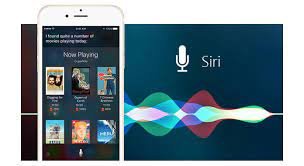
Your phone’s voice assistant can do more than set a timer in 2027. With a simple voice command, you can send a message, check the weather, set a reminder, play music, make a call or get directions. Using a voice assistant can save time, especially when your hands are busy or you are on the move. This guide explains how to set it up, use it for daily tasks, and get the most from it.
Set Up Your Voice Assistant
Most phones in 2027 come with a built-in voice assistant, such as Google Assistant on Android or Siri on iPhone. To set it up, open your phone’s settings, find the voice assistant option, and follow the steps to turn it on. You may be asked to train it to recognise your voice by repeating a few phrases. Check that your language is set correctly, so the assistant can understand you, and allow it to access your calendar, contacts and messages if you want it to help with those tasks. A short setup at the start can make daily use much smoother.
Use Voice Commands for Everyday Tasks
Start with simple tasks and learn the phrases that work best. You can say, “Set an alarm for 7 in the morning,” “Remind me to buy milk at 5 pm,” or “Call Ali.” You can also ask for the weather, the time in another city, or the latest news. For messages, you can say, “Send a message to Sara saying I will be late,” and the assistant can read it back before sending. Try one new command each day, and keep a note of the ones you use most. Clear, short commands usually work best, so speak at a normal speed and in a quiet place when you can.
Manage Your Calendar and Reminders
A voice assistant can help you stay organised. You can add events to your calendar by voice, such as, “Add a meeting tomorrow at 10 am,” and you can ask, “What is on my calendar today?” to hear your schedule. Reminders can help you remember tasks, such as taking medicine, paying a bill, or calling someone back. You can also set location-based reminders on some phones, such as a reminder to buy something when you reach a shop. Check your calendar and reminders regularly, and delete the ones you no longer need, so your list stays useful.
Use It While You Are Busy or On the Move
A voice assistant can be especially useful when your hands are busy. While cooking, you can set a timer, convert a measurement, or play music without touching your phone. While driving, you can make a hands-free call or get directions, although you should still focus on the road. While walking, you can listen to messages or check the time of your next appointment. If you use a smart speaker or a pair of earphones with a voice assistant, you can use it in other rooms or while exercising. Voice control can make small tasks faster, but it should not replace your attention when safety matters.
Control Smart Devices and Apps
If you have smart devices at home, such as lights or a fan, your voice assistant may be able to control them. You can try commands such as, “Turn off the bedroom light,” or “Play music in the living room,” if your devices support it. You can also open apps by voice, search for a video, or start a podcast. Check which apps work with your assistant, and link them in the settings if needed. Start with one device or app, and add more only when the first one works well. A simple setup can be more reliable than a complex one with many devices.
Protect Your Privacy and Stay Safe
Voice assistants listen for a wake word, and they may store some of your requests to improve their service. Review the privacy settings on your phone, and decide what you are comfortable sharing. You can usually see a history of your voice requests and delete it if you wish. Avoid using voice commands for sensitive information in public, such as passwords or bank details, and do not share your phone’s unlock code with others. Turn off the assistant on the lock screen if you do not want others to use it when your phone is locked. A few privacy checks can help you use the assistant with more confidence in 2027.
Learn New Features in 2027
Voice assistants continue to improve, with new features added through phone updates. Take time to learn what your assistant can do, by asking, “What can you do?” or by checking the tips in its app. You may find new features for translation, for reading messages aloud, or for helping with study and work. Try a new feature for a week, and keep the ones that save you time. With regular use, a voice assistant can become a helpful part of your daily routine in 2027, from the moment you wake up to the end of the day.