
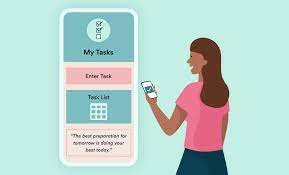
A busy day in 2027 can fill up quickly with classes, work, family tasks, and appointments. When everything is kept only in your head, it is easy to forget a meeting, miss a deadline, or double-book your time. Calendar and reminder apps can help you plan your day in one place, see what is coming next, and get a gentle nudge before something important starts.
Why a Calendar App Helps in 2027
A paper diary can work, but a calendar app can do more. It can repeat weekly events automatically, remind you before an event, show your schedule for the whole week, and sync across your phone and computer. If your plans change, you can move an event in a few taps instead of crossing it out and rewriting it. Many apps also let you add notes, locations, and links, so everything you need for a task is in one place when you open it.
Look for Simple and Clear Design
The best calendar app for you is one you will actually open every day. Look for a clear day view, a week view, and a month view, with colours that help you tell work, study, family, and personal time apart. The app should let you add an event quickly, without filling in many fields. If adding a task feels slow or confusing, you are less likely to keep using it. Try a free version first, add a few real events, and see whether the layout feels calm and easy to read.
Use Reminders That Arrive at the Right Time
Reminders are most useful when they arrive early enough to act. For a morning class, a reminder the night before can help you prepare. For a bill or an appointment, a reminder a day or two ahead can give you time to arrange transport or documents. Many apps let you set more than one reminder for the same event. Use this for important tasks, but keep reminders simple for routine events, or you may start ignoring them. A reminder should help you, not add stress.
Keep Work, Study, and Family in One Place
Some people use a separate app for work and another for family, but this can make planning harder. A single calendar with different coloured calendars inside it is often easier. You can still see everything together, and you can hide one calendar when you want to focus. Share a family calendar with household members so everyone can see shared events, such as school holidays, visits, and meal plans. This can reduce confusion and repeated questions about who is doing what and when.
Plan the Day the Night Before
A short planning habit can make a calendar app much more useful. Each evening, spend five minutes looking at the next day. Check the times, the places, and anything you need to take with you. Move a task if the day looks too full, and add a reminder for the most important item. In the morning, open the app once and follow the plan, rather than checking it again and again. Over time, this habit can help you feel more in control and less rushed.
Protect Your Privacy and Battery
Calendar apps hold personal information, so check their privacy settings. Use a strong password or your phone lock, and avoid sharing a calendar link in public. Check which permissions the app asks for, and turn off any that do not seem needed. Some apps can use a lot of battery if they sync constantly, so check the battery settings if your phone drains quickly. A simple, well-known app that does the basics well is often a better choice than a complex app with many features you never use.
In 2027, the best calendar and reminder app is not always the one with the most features. It is the one that fits your routine, shows your day clearly, reminds you at the right time, and is easy to keep updated. Start with one app, use it for two weeks, and adjust your reminders and colours as you learn what works. With a little planning each evening, your calendar can become a quiet helper that keeps your days organised.